
How it all works
THE POPUP WIFI PROCESS
Managed event internet delivered to your door in five easy steps
The most common question we get is “how does it all work?”. Since 2014, we’ve been building managed event internet solution that anyone can operate with our full phone support, 24/7. The process is super straightforward, and our expert, helpful techs are here to support you every step of the way. They just won’t wait until you have a problem – management means they are looking after every detail from the get-go, not just waiting for a “mayday” call when your job has already started.
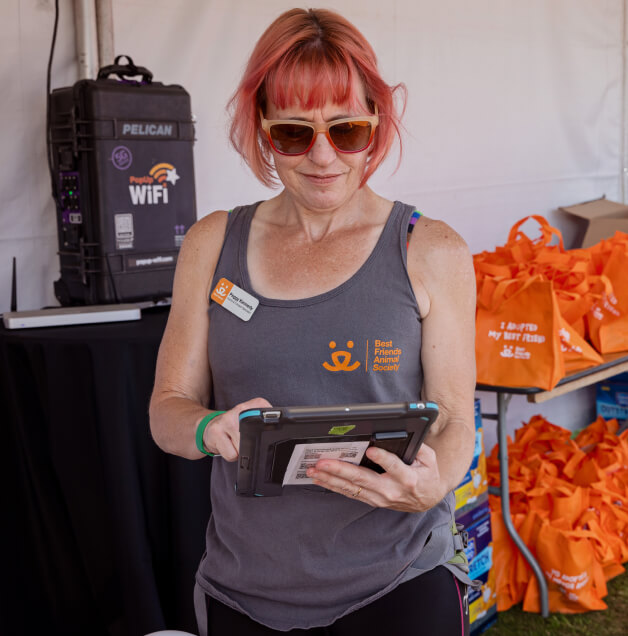
Let us step you through it...
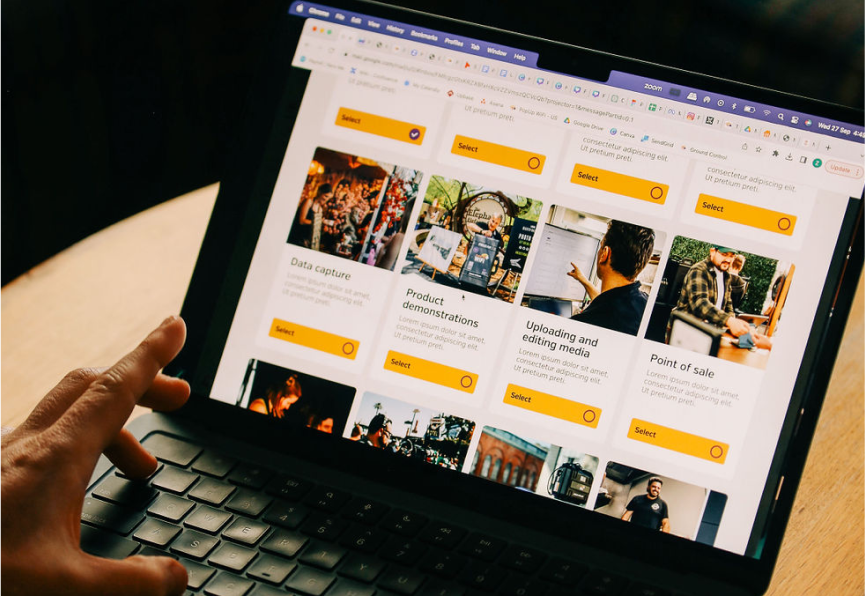
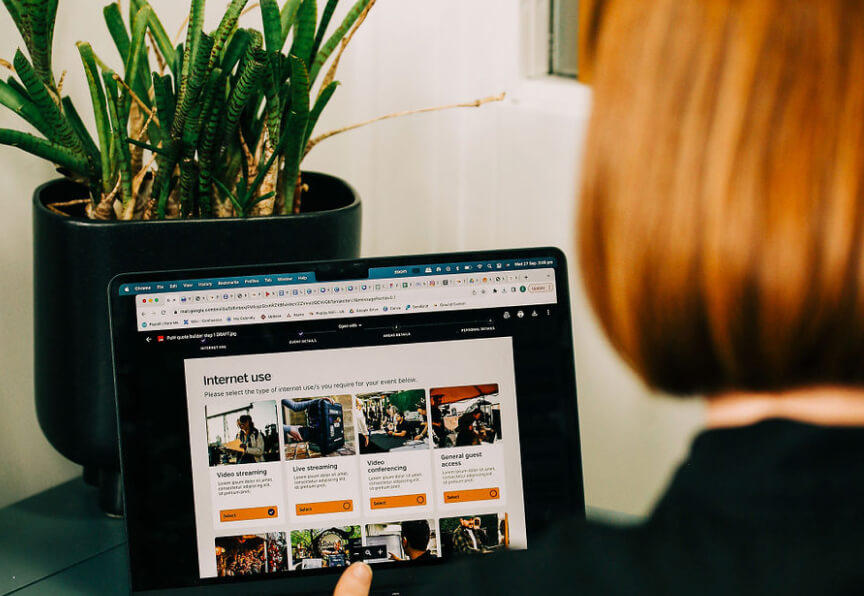
1. Get a quote online.
Use our online Quote Builder to input details about your event, such as location, dates, internet use and number of attendees. The quote builder will consider a few key elements of your event to make sure you get the best managed internet solution, whether it’s just one of our products or a mix-and-match combo. You can check out the difference between our models in our handy product comparison chart. We’ll do some due diligence using the info you’ve provided, then we’ll send your quote straight to your inbox.
Timeline Item 4
Timeline Item 4
...or talk to a tech.
If your event has complex internet needs or its location is in a rural area, our team may reach out to you to make sure we give you the best event network solution possible. If you’d like to speak to a team member at any time throughout the quoting process you can book a call with a member of our experienced Solutions team. You can check out the difference between the models in our range in our handy product comparison chart.
Timeline Item 4
Timeline Item 4
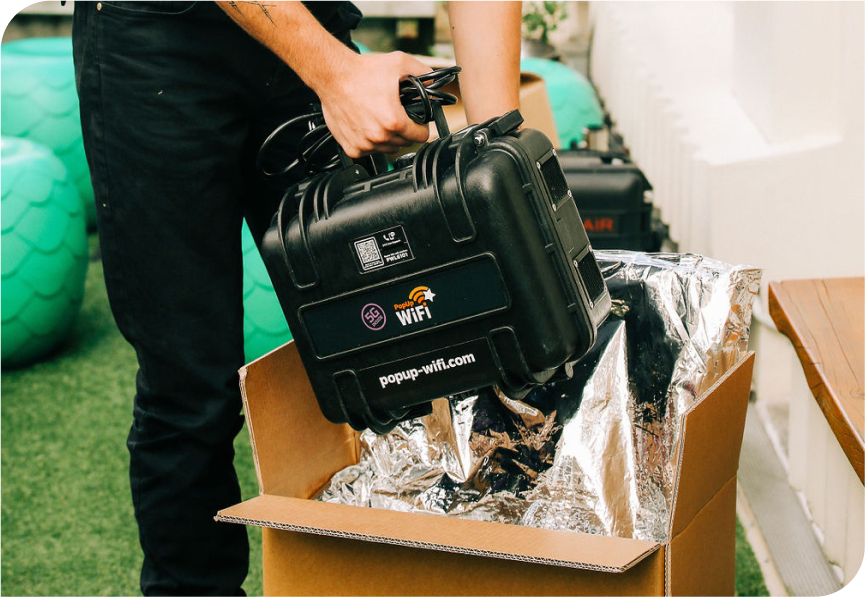
2. We ship to you.
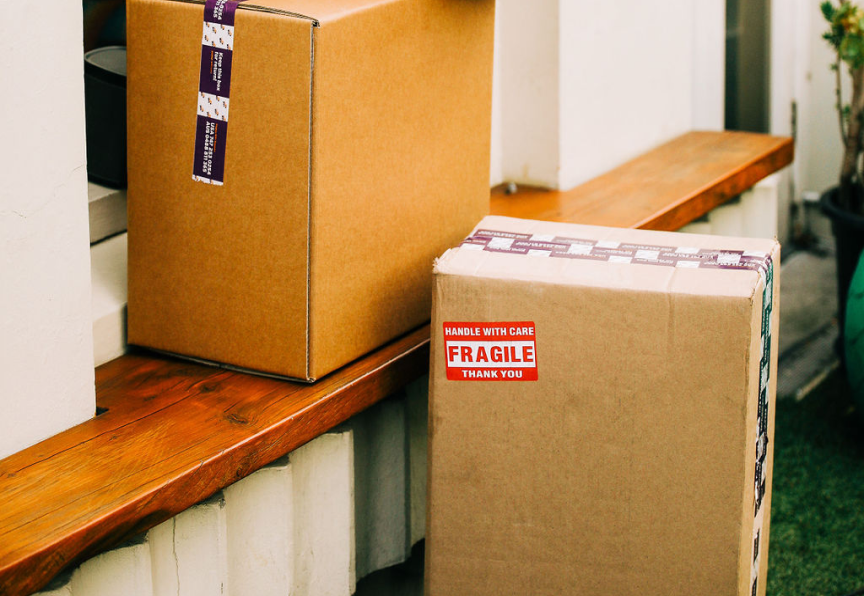
We’ll courier your PopUp WiFi unit right to your door, delivered to you two days before the day before your event, pre-configured and ready to go. Once your managed internet solution is booked in, we’ll configure your PopUp WiFi equipment specifically to meet your production and network needs. Choose your network names and passwords and make your WiFi your own.
Timeline Item 4
Timeline Item 4
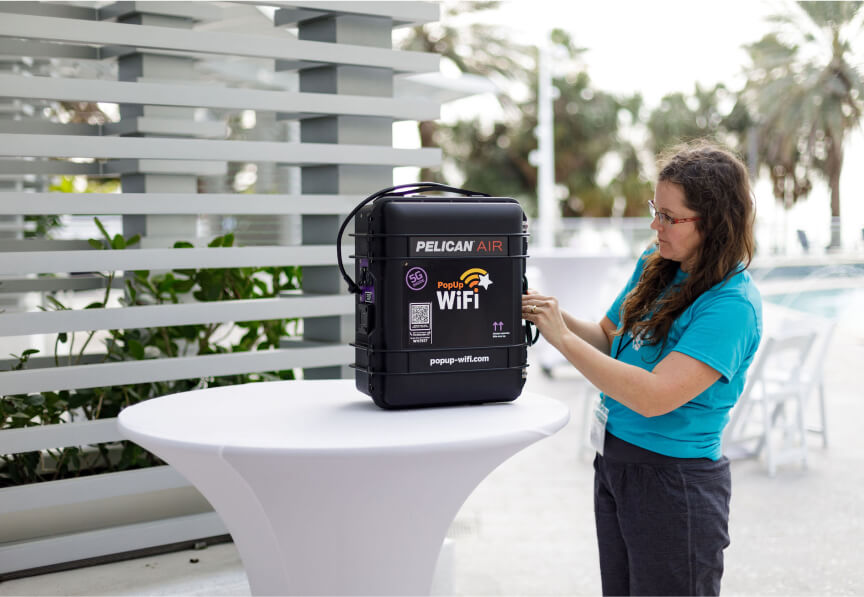
3. You Plug ‘n’ Play.
Timeline Item 4
Timeline Item 4
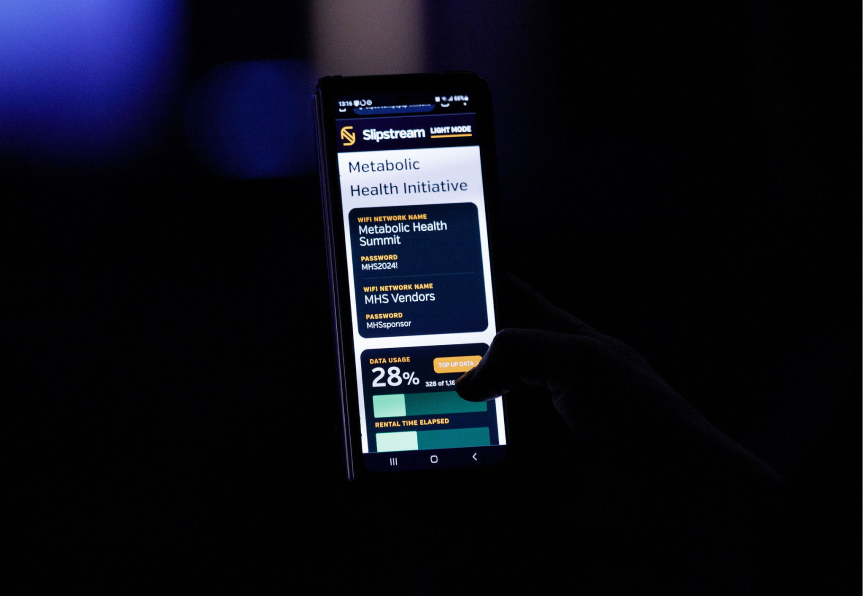
4. Follow your progress with Slipstream; your live insights dashboard.
Log into Slipstream to stay up to date with information about your network, straight to your production devices. Slipstream gives your team real-time insights into data usage, connected devices, network names and passwords and you can event download your shipping labels if you need. Find out more about Slipstream here.
Timeline Item 4
Timeline Item 4
5. Return your gear.
Once your event has been a roaring success, put your units back in the boxes they arrived in, attach the included shipping label (or download them from Slipstream) and drop your unit off to your nearest FedEx store. And “voila!” Job done! Time to bask in the after show glow. Units are due back to FedEx the next business day after your event ends. Remember – return your gear on time or standard rental fees apply.
Ready to get a quote?
Your Questions Answered
PopUp WiFi delivers plug’n’play managed internet appliances, shipped to clients across the USA. All rentals come with unlimited, unthrottled multi-carrier cellular data and custom network name/s and password/s. The clients install the units with live support of our 24/7 team of Peplink-certified nework engineers. Set up is very easy – just stand the unit up on a table or strap to a truss, and plug into standard power. Text a photo of your setup to the 24/7 tech support team to check, then they will remotely optimize and manage the network so it provides the best-possible performance at your location. The networks are monitored in real time by PopUp WiFi engineers, who can make changes on-the-spot to respond to environmental challenges.
Each model combines several internet connections into one solid bonded connection. The Pelican cases contain enterprise-grade Peplink bonding routers that feature SpeedFusion and FusionSIM technology. There are multiple modems and several high-gain 4×4 MIMO antennas that connect to any best-performing 5G and LTE-A networks from Verizon, T-Mobile and AT&T at the same time. Larger units feature additional 5G connections, with ultra high-gain directional antennas for extra speed. Traffic is shared across every link, so if one carrier slows down or drops out, the others keep your event online. If there are any other WAN-sources such as Starlink or a house connection available, clients can connect them to their PopUp WiFi unit. Our engineers can bond the additional connection to the multi-carrier cellular connections free of charge. This results in one consolidated, highly-redundant source of internet for events, production, business and industry.
No. Every PopUp WiFi unit has an enterprise-grade Peplink router and WiFi built in, plus LAN ports for plugging in wired devices like POS terminals, encoders or switches.
No, your PopUp WiFi unit includes multiple 5G and LTE connections from AT&T, T-Mobile and Verizon, with all rentals include unlimited, unthrottle data with no caps. All you need to add is power.
The PopUp WiFi Titan unit is the world’s fastest plug’n’play event internet solution. It gives you a quad-5G bonded connection, providing the fastest speeds in our product range and arguably in the world. If you need even more bandwidth, consider two units together for even more 5G bonded bandwidth.
Yes, all PopUp WiFi rentals and purchases include access to your own Live Network Insights dashboard called Slipstream. You can access the Slipstream portal by scanning the QR codes on your unit, or by using the link we send you prior to your event. From here, you can monitor network traffic and top bandwidth users, access your network information and return shipping labels, and top up your data if necessary.
The earlier, the better if you want to take advantage of handy offers like free shipping until 30 days before your event, and Early Bird pricing when you order more than 4 months in advance. Of course, this isn’t always possible, so we recommend ordering at least 4 days before your event starts to avoid rush rate shipping (inventory levels permitting). If you need WiFi in a hurry, we can even dispatch by 2 pm Pacific Time on the same day (Monday to Friday) for overnight delivery, or you can collect from our warehouses in Los Angeles or Memphis if you’re nearby and in a hurry. If you are planning an event during September or October, we recommend booking earlier if possible as demand is high.
Yes, PopUp WiFi rentals can be extended if your event runs longer than planned. Just contact our 24/7 Support team before the end of your existing rental to let us know you need extra time, and we’ll update your rental period and billing accordingly. It’s best to let us know early so we can confirm your unit’s availability and keep your data and network settings uninterrupted.
Yes, PopUp WiFi units are available to purchase as well as rent, with the Workhorse, Beast Mach 3, and Titan all offered through our Shop for organizations that activate regularly and want their own dedicated gear. Ownership includes a monthly all-inclusive subscription covering unthrottled multi-carrier data, licensing, and management platforms, so there’s nothing extra to juggle. If you only need connectivity occasionally, renting is usually more cost-effective. Talk to our Solutions team to work out what’s right for you.
PopUp WiFi ships to any business address or FedEx store in the US in a padded, protective box, two business days before your first event date. The units arrive fully configured with your custom network name and password, ready to plug and play. The business day after your event, return the unit to your nearest FedEx store by 3 pm using the included shipping labels.
PopUp WiFi ships right across the USA for delivery as soon as the next business day from our bases in Memphis and LA. We generally ship using FedEx Overnight Priority Tracked, and if you’re in Los Angeles or Memphis, we can even courier a unit right to you in an emergency. Cutoff for next-day shipping is 1 pm Pacific Time, with shipments dispatched Monday to Friday except for holidays. For free shipping we recommend ordering at least 21 days before your first live date. Note: We prefer to deliver two business days before your first live event day, just in case of freight delays.
PopUp WiFi ships right across the USA from our bases in Memphis, TN and Los Angeles, CA to venues (except convention centers), hotels, offices, or a FedEx store convenient to you.
Shipping your PopUp WiFi order to a FedEx store for collection is definitely available. It is the best option to reduce the risk of delays with last-mile couriers, and waiting for the courier to arrive. After you “accept” your PopUp WiFi quote, use the FedEx Finder tool in your booking form to pick the handiest location for us to ship to. They’ll hold your shipment for up to 5 business days.
Yes. PopUp WiFi equipment is valuable, so please nominate an address where someone will be available during business hours to sign for your order, or choose a FedEx store for collection any time.
To return your PopUp WiFi rental, repack the unit in its original padded box and drop it off at a FedEx location. We’ll include a return label, and it will be available to download from your Slipstream dashboard just in case. Your units is due to be dropped off at a FedEx store by 3pm local time the day following your event (see your quote). If you have any questions before shipping back your unit, our 24/7 support team is on hand to help.
Yes, every PopUp WiFi unit is approved to fly (no removable batteries inside). You can carry the Lite on; most airlines prefer the other models to be checked in. Keep your unit inside its padded cardboard shipper for checking in to keep it safe. The units can be opened by TSA for inspection, that’s fine.
The PopUp WiFi Lite weighs 17 lb, the Workhorse 21 lb, the Beast Mach 3 32 lb and the Titan is 31 lb.
If a PopUp WiFi unit is damaged or stolen during your rental, you’re invoiced the insurance excess set out in your Terms and Conditions. All units contain GPS tracking, so we’ll help you make a police report and assist in locating the unit if it goes missing.
Setup is fast: your PopUp WiFi unit will ready to use within 10 minutes of powering on. From there, our Peplink-certified network engineers optimize the unit remotely for its exact location, which can take up to an hour per unit for the best possible performance.
Place your PopUp WiFi unit at waist height or higher (up to about 10 feet). Standing on a table or zip-tied into the frame of a tent are both popular positions. We recommend keeping it as unobstructed as possible to avoid blocking the signal. Indoors, position where it can “see” a window as you can to improve signal reception. Once set up, send a setup photo to our 24/7 techs so they can help optimize placement for the best possible connection.
Yes, you can test your PopUp WiFi unit before your event. We’ll ship your unit to you for delivery two business days ahead, and you’re welcome to start testing as soon as you have your unit. for Simply power it on at your venue ahead of time, and text a photo to our 24/7 Support team for checking. They will remotely optimize the connection and help optimize performance so everything’s dialed in before showtime. For challenging locations, such as windowless venues or areas with marginal coverage, we offer a Risk-Free Test Promise. We’ll send a unit out early for testing onsite, which lets our techs confirm the unit will meet your needs on site before you commit, for just the cost of shipping.
A healthy, fully charged 9.0Ah battery (9.0Ah or larger is recommended) typically runs a PopUp WiFi unit for up to 3.5 hours, depending on use. Larger batteries, like the Milwaukee High Output 12.0Ah x 2 or DeWalt 12.0Ah FLEXVOLT x 2 on the two-battery Beast Mach 3 and Titan models, can run for up to 10 hours.
With many traditional trade show internet providers, onsite technicians are provided to install, configure, and troubleshoot your connection. With PopUp WiFi, no onsite technician is needed. We support you during load in, which begins when you text us a photo of your unit in position for our network engineers to check. Then they handle the rest, remotely optimizing the network for best performance in your specific venues (like a sound check, but for your network), then monitoring its performance throughout the rental.
PopUp WiFi units arrive pre-configured and can be set up by anyone in minutes. The Slipstream dashboard gives you live visibility over your network at all times, and our experienced network engineers use IoT data and powerful cloud-based tools to expertly manage your network remotely in real time so you’re never on your own. If you have a question, call or text our Support number for on-the-spot answers, 24/7.
Yes, you can set your own network name and password. Every PopUp WiFi unit supports a custom network name (SSID) and password of 8 or more characters with no spaces, and you can set this up on the booking form we send once your quote is accepted. You can create up to seven network names if needed, or choose a “No Password” option for easy guest access. Need changes after booking? Just contact our helpful 24/7 Support team for on the spot help.
Yes, PopUp WiFi lets you create up to seven separate network names and passwords on one unit, so you can split staff, production, point-of-sale, exhibitors and guests onto their own dedicated networks. Just click “Add network name” on your booking form (we’ll send it when you order) to set them up ahead of your event. Need changes on site, or want to add a new network once you’re up and running? Our 24/7 support team can take care of it for you right away.
Yes. Different WiFi networks can be configured with different priority levels, allowing more important traffic to take precedence when needed. For example, a production or staff network can be prioritised over a general guest network to help ensure critical users and applications have reliable connectivity during your event.
Yes, just contact PopUp WiFi Support via phone or text and we’ll apply per-device data limits to any of your networks, or let us know when you’re requesting a quote.
Yes. PopUp WiFi can add a Captivate login screen that securely asks users for credit card details before they connect, metered by time or by data used.
Yes. PopUp WiFi’s Captivate feature adds a branded login screen to your network, which you can use for your own brand or sell as sponsored WiFi. Packages start at $199 and allow you to customize the look and feel of the login screen, with custom messaging, fonts, background and optional data capture fields.
Yes. PopUp WiFi’s free Slipstream dashboard works on any device and shows connected users devices, current upload and download consumption, data use per device, total data used, and your rental timeline.
No. The FCC has ruled that it is illegal for convention centers to prevent guests from using their own cellular connectivity. No permission from the venue is required to set your PopUp WiFi units up, and installation can be done yourself.
You can nominate your own WiFi network name/s and password/s. Once your PopUp WiFi units have arrived, you can access your custom WiFi network names and passwords via the Slipstream portal. Access Slipstream by scanning the QR codes on one of your PopUp WiFi units, or using the link we’ll text to you prior to your event. You can also contact our 24/7 Support team to make changes to these details.
No, PopUp WiFi has been developing a fully remote-managed plug’n’play solution, simple for anyone to set up, since 2014. If you have a table and an outlet, PopUp WiFi’s engineers can do the rest remotely. They’ll monitor and optimize your network live, 24/7, using our proprietary management tools. Our units are constantly updating our engineers back at base about their status, so if anything is happening, they’ll know about it and take action. Got a question? Give us a call any time, around the clock, for guaranteed on the spot help.
Just call or text PopUp WiFi Support any time, 24/7, and reach a certified network engineer instantly and directly. Our Support number is provided in your Slipstream dashboard, printed on the unit itself, and included in your intro emails, so it’s always on hand at your event.
Yes. In the rare case PopUp WiFi can’t deliver the internet usage listed in your quote, we’ll give you a full refund within 7 days. The guarantee requires the unit to be set up as instructed and our techs to be told about any issue during your event.
PopUp WiFi units are built to prevent internet drop-outs in the first place: each one bonds multiple 5G and LTE-A connections from Verizon, T-Mobile and AT&T (plus optional Starlink) so if one carrier weakens, traffic shifts seamlessly across the others. Our Slipstream dashboard gives you live visibility, and our 24/7 Peplink-certified network engineers are alerted automatically to any change in performance, making adjustments remotely in real time before you even notice an issue.
Yes, PopUp WiFi bonds several connections from the strongest available cellular networks, so a single weak signal won’t drop your stream. Powered by SpeedFusion VPN technology, including WAN Smoothing and Forward Error Correction, it protects any live video feed to ensure a smooth, rock-solid broadcast.
Yes, PopUp WiFi works with AV companies, production and brand agencies, event technology providers and managed service providers. Partners can rent per job, or buy or lease units and on-sell connectivity to their own clients, with unlimited reconfigurations between events. Leases and purchases include 24/7 engineer support and Slipstream for the license holder. Contact our Solutions team to talk about partnership options.
You can rent WiFi for an event from PopUp WiFi, who have provided plug-and-play WiFi units since 2014 for hundreds of thousands of events. Our units bond multiple cellular carriers and are managed live by our remote network engineers for a smooth and stress-free event.
PopUp WiFi tailors its solutions to your needs based on a multitude of factors: venue location & size, expected traffic, your use case for the connection, and even the equipment you already have. From there, just let us know your preferred network information and where to ship your order and it will be ready to go right out of the box. If you need any assistance, our Peplink-certified support team is available 24/7 to help you out.
It is, if you’re using the right technology, such as the PopUp WiFi Lite, which bonds the best 1 x 5G + 2 x LTE connections for a stable connection. PopUp WiFi units use packet-level bonding to combine cellular connections from AT&T, T-Mobile, and Verizon to ensure that your connection is highly redundant and highly reliable. This way, if one or even two carriers slow down or drop out, the remaining connections will stay up and carry the load.
Venue WiFi can work, but it’s risky to rely on for your most important connected events. It’s often shared with hundreds of other guests and can slow or drop during peak moments like keynotes or livestreams, and frequently does not have any personnel monitoring network performance around the clock. With PopUp WiFi, you don’t have to choose: existing venue WiFi can be added as another WAN and bonded alongside 5G and LTE-A from Verizon, T-Mobile and AT&T, adding reliability and speed instead of being a risky single point of failure.
WAN Smoothing is a Peplink SpeedFusion technology feature that duplicates data packets and sends them across multiple internet connections at the same time to eliminate packet loss and jitter. It is a powerful tool for seamless live streaming and included with every PopUp WiFi solution.

Producer Feedback
Events Officer,
Logan City Council